
If your Search Console click-through rate has fallen off a cliff while your average position held steady, the most likely explanation is not your titles. It’s that Google now counts impressions from AI Overviews and AI Mode in your totals and those impressions can never produce a click, because nobody sees a results page.
I run an AI automation agency, and I’ve spent the last week auditing my own site rather than a client’s. Everything below is my own Search Console data. I’m writing it up because I couldn’t find an honest version of it anywhere else.
This is a measurement problem sitting underneath a much larger one, which is that search is increasingly answered rather than listed. If you want the wider version of that argument, start with our guide to generative engine optimisation. This piece is narrower: what the numbers in your own Search Console are actually telling you.
What does query fan-out look like in real Search Console data?
One page on this site (a tutorial on Supabase free tier limits) recorded the following over 90 days, 8 May to 5 August 2026:
| Metric | Value |
|---|---|
| Impressions | 493,975 |
| Clicks | 76 |
| Average position | 7.58 |
| CTR | 0.015% |
A page ranking that well would normally earn far more clicks than this. My first assumption was the obvious one: bad title, bad meta description, fix the copy.
That assumption was wrong, and it took about ten minutes of looking at the query data to find out why.
What do AI fan-out queries look like in Search Console?
Here are that page’s queries, ordered by impressions.
| Query | Impressions | Clicks | Avg position |
|---|---|---|---|
| supabase free tier limits 2026 | 13,884 | 0 | 5.01 |
| supabase pricing free plan 2026 | 10,717 | 0 | 8.16 |
| supabase free plan limits 2026 500mb two projects unlimited api calls | 8,037 | 0 | 6.60 |
| supabase pricing official 2026 | 6,758 | 0 | 8.75 |
| supabase free tier limits 2026 500 mb two projects unlimited api requests | 5,298 | 0 | 5.74 |
| reddit supabase free tier limits projects 2026 | 3,285 | 0 | 7.01 |
| supabase free tier limits | 2,389 | 3 | 6.74 |
| is supabase free | 1,188 | 2 | 10.73 |
Look at the third row. Nobody types “supabase free plan limits 2026 500mb two projects unlimited api calls” into a search box. That string contains the answer: 500mb, two projects, unlimited API requests. Whatever generated it already knew what the answer was.
A second page on the site made it unmistakable. Its top query, with 68 impressions, was:
“free projects are paused after 1 week of inactivity. limit of 2 active projects.”
That is a sentence lifted from Supabase’s own published plan limits, full stop included, being used as a search query. Others on the same page included “supabase quickstart wait a few minutes create project” (1,249 impressions, no clicks) and “supabase create project takes about 2 minutes” (461 impressions, no clicks).
Those are not searches. They’re retrieval queries: the sub-queries a machine generates when it breaks a user’s question into pieces and goes looking for sources.
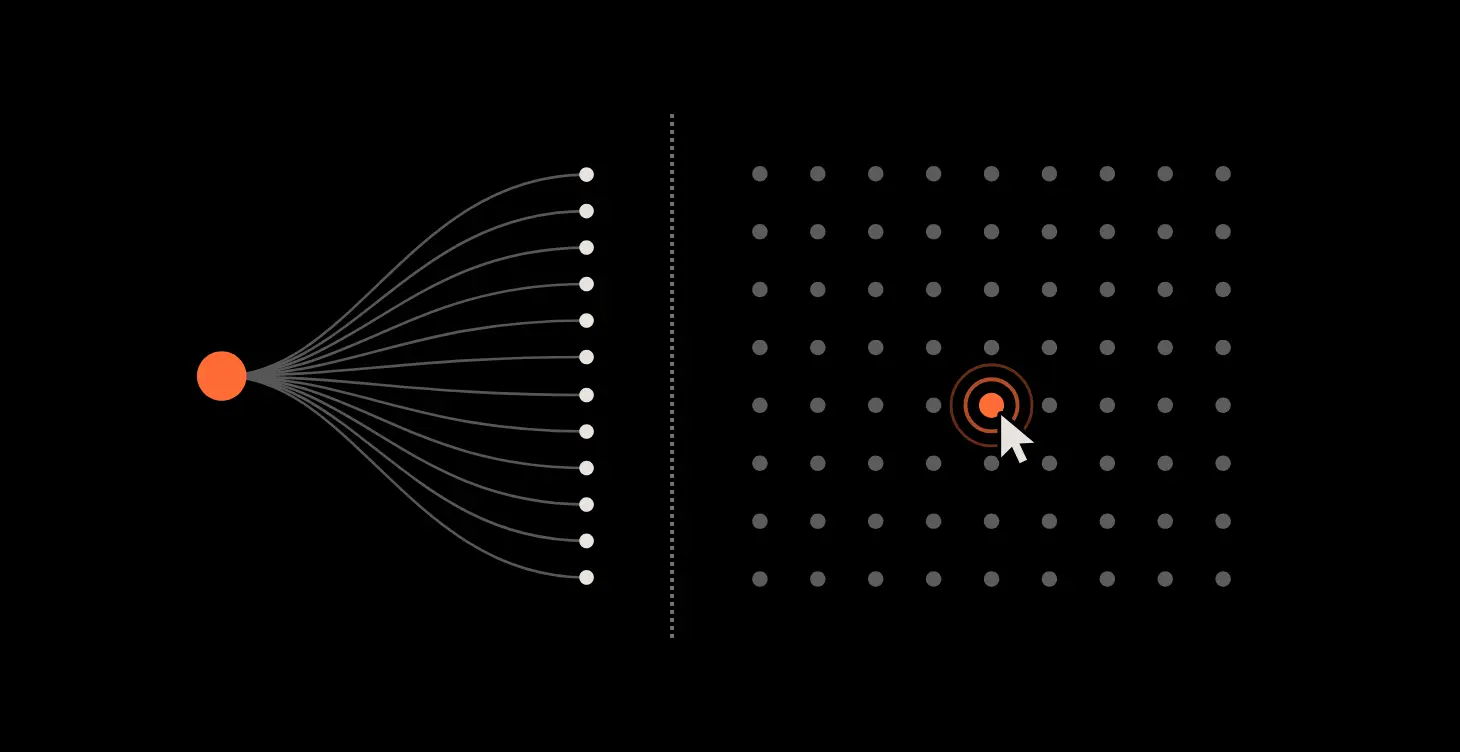
The industry calls this query fan-out, and you’ll see the same thing described as AI fan-out or fan-out queries. When Google AI Mode takes a question, it doesn’t run one search. It decomposes the question into multiple related searches, runs them in parallel, and synthesises an answer from what comes back. Every one of those sub-queries can register as an impression against your page.
Does Google count AI Mode impressions in Search Console?
On 3 June 2026, Google announced Search Generative AI performance reports in Search Console, in a post by Hillel Maoz and Moshe Samet. The critical line, about impressions from AI Overviews and AI Mode, is that “this data is included in the overall performance report”.
So this isn’t a bug or a theory. Google has confirmed that generative AI impressions sit inside the same totals you’ve always looked at. The June launch didn’t add them. It gave them a separate view for the first time.
Two limitations worth knowing. The new reports are rolling out to a subset of websites, so you may not have them yet. And they currently show impressions, pages, countries, devices and dates only: no clicks, no CTR, no average position, and no query breakdown.
Why does query fan-out wreck your CTR?
CTR is clicks divided by impressions. If a large share of your impressions come from queries that structurally cannot be clicked, your denominator inflates and your CTR falls, while nothing about your actual performance has changed.
One question asked in AI Mode can fan out into a dozen sub-queries. That’s a dozen impressions in Search Console against one human being, who then reads a generated answer and never sees a results page. Traditional search gave you one impression per person. Generative search does not, and your CTR column has no way of telling you which is which.
On my site the distortion is severe:
| Impressions | Clicks | CTR | |
|---|---|---|---|
| Reported site total | 676,794 | 504 | 0.074% |
| Top 30 queries by clicks | ~26,016 | 155 | 0.60% |
| That one page, human queries only | 4,512 | 14 | 0.31% |
Around 96% of my reported impressions sit outside the top 30 clicked queries, and the visible tail is almost entirely machine-shaped. Strip it out and the site’s real click-through rate is somewhere around 1.3 to 1.9%, an unremarkable number for a small site, not the catastrophe the dashboard was showing.
I had already written “fix the meta descriptions” as the single highest-priority job on the site. It wasn’t. It was a decent small job wearing a big number.
How do I check my own site for query fan-out?
- Open Search Console, go to Performance, and pick a page with high impressions and suspiciously low CTR.
- Filter to that page, then switch to the Queries tab.
- Sort by impressions and read the top twenty.
- Ask one question of each: would a person type this?
You’re looking for compound strings of eight or more words, queries containing the answer rather than the question, full sentences with punctuation, and phrases that read like documentation. Anything with a “reddit” prefix bolted onto a long tail is another tell.
If most of your impressions look like that, your CTR is measuring machines, not people.
Then recalculate: take only the queries a human would plausibly type, sum those impressions and clicks, and divide. That’s your real CTR. It’s the only version worth setting a target against.
What should I do about it?
Re-baseline your reporting. If you report CTR to a client or a board, split human queries from AI-driven impressions before you do. Otherwise you’ll spend next quarter explaining a decline that never happened.
Stop treating impressions as reach. An impression inside an AI answer is not a person seeing your brand. It’s a machine considering your page as a source. Useful, but a different thing.
Read it as a retrieval signal instead. Hundreds of thousands of AI-driven impressions at position 5 to 8 means AI systems are pulling your page repeatedly when they build answers. As an AI visibility signal that is about as strong as it gets. It’s just not a traffic signal. On my site the most AI-visible page by a wide margin turned out to be a developer tutorial, not any of the pages that sell anything. That told me something I’d never have found in a CTR column. Being retrieved isn’t the same as being named. To see whether ChatGPT and Gemini actually mention you when buyers ask, try the free AI Visibility Checker from RankX AI, a platform I built. It shows who gets named instead and which sites are cited.
Keep fixing your titles anyway. On genuine human queries that page still runs 0.31% at position 6.7, which is under par. The meta rewrite is worth doing. It’s worth tens of clicks a quarter, not thousands.
Can you optimise for query fan-out in AI Mode?
Partly, and less than most people selling you the service will admit.
What you can act on is that fan-out retrieves passages, not pages. A sub-query like “supabase free plan storage limit” needs a specific sentence, not a well-written article in general. Pages built as a series of self-contained, directly-answered questions get pulled more often than pages built as a flowing argument, because each section survives being lifted out of context. That is the same discipline as writing content AI search engines actually cite, and it’s the one part of this that is unambiguously within your control. For a quick read on whether a page is built that way, the free AI Readiness Score in RankX AI checks one page in seconds, with no email needed.
What you cannot do is target fan-out queries directly. You don’t get to see them as a list, they change per user question, and Google’s own AI reports carry no query data. Anyone selling you a “fan-out keyword list” is inferring it, same as I am.
The honest version: write the answer to each question plainly, in its own section, near the top of that section, and let retrieval find it. There’s more on the mechanics in our GEO optimisation strategy guide.
What can’t be proven from Search Console alone?
I want to be straight about the limits of this.
I can show that these queries are not typed by people: the shape of the strings settles that. I can show that Google includes generative AI impressions in the totals, because Google says so.
What I cannot show, from Search Console alone, is exactly which system generated any specific query. Google doesn’t attribute them at query level, and the new AI reports don’t include query data at all. AI Overviews and AI Mode are the obvious candidates given the timing and Google’s own announcement, but I can’t rule out other retrieval systems using the same index. ChatGPT and other assistants run their own retrieval, and I have no way to separate them here.
I also tested this against an AI query-expansion tool to see whether it would generate strings of the same shape. It didn’t. It produced tidy natural-language questions like “What are the limitations of Supabase’s free plan?”, not the keyword-compressed, answer-laden strings I’m seeing in Search Console. So the specific mechanism producing these is still an open question.
If you have data that explains it better, I’d genuinely like to see it.
When is a low CTR not caused by query fan-out?
I’d rather say this than have you use it as an excuse.
Most sites won’t see this at anything like my scale. My affected page ranks well for a high-volume technical question that people ask AI assistants constantly. A local services site with a few thousand impressions a month probably has a normal CTR problem, and the answer there is genuinely better titles.
A low CTR at position 3 is still a low CTR. Query fan-out clusters around informational queries. If you’re underperforming on commercial terms where you rank near the top, this isn’t your explanation.
Don’t use this to stop measuring. The correct response is to measure more carefully, not to declare the numbers meaningless and go by feel.
And it isn’t a reason to hire anyone. You can do the ten-minute check yourself with no tools beyond the Search Console you already have.
Query fan-out and Search Console CTR: common questions
Why are my Search Console impressions high with no clicks?
Most often because a share of those impressions come from AI Overviews and AI Mode, which Google includes in your overall performance totals. Those impressions represent your page being retrieved as a source, not a person seeing a link they could click.
Does Google count AI Overview impressions in Search Console?
Yes. Google confirmed on 3 June 2026 that generative AI impression data is included in the overall performance report, alongside launching a dedicated view for it.
How do I separate AI impressions from real search impressions?
If you have the Generative AI performance report, it gives you AI impressions by page. If you don’t, filter to a page in the Performance report, read the query list, and keep only the queries a human would plausibly type. Calculate CTR on those.
What is query fan-out in Google AI Mode?
Query fan-out is what happens when Google AI Mode takes one question and breaks it into multiple related searches, runs them in parallel, and builds an answer from the results. Each of those sub-queries can register as an impression against your page, so one person can generate several impressions and no clicks.
Is a low CTR always caused by query fan-out?
No, and assuming so is the bigger risk. Check the query shapes first. If your top queries read like normal human searches, your CTR problem is real and probably fixable with better titles and descriptions.
Should I still optimise meta titles and descriptions?
Yes. Judge the result against human queries rather than the headline CTR figure, and expect proportionate gains.
If your Search Console numbers stopped making sense this year and you’d like a straight answer on what’s actually happening, book a free Search Console and AI visibility review. If the problem turns out to be something you can fix in an afternoon without me, I’ll tell you that instead.