
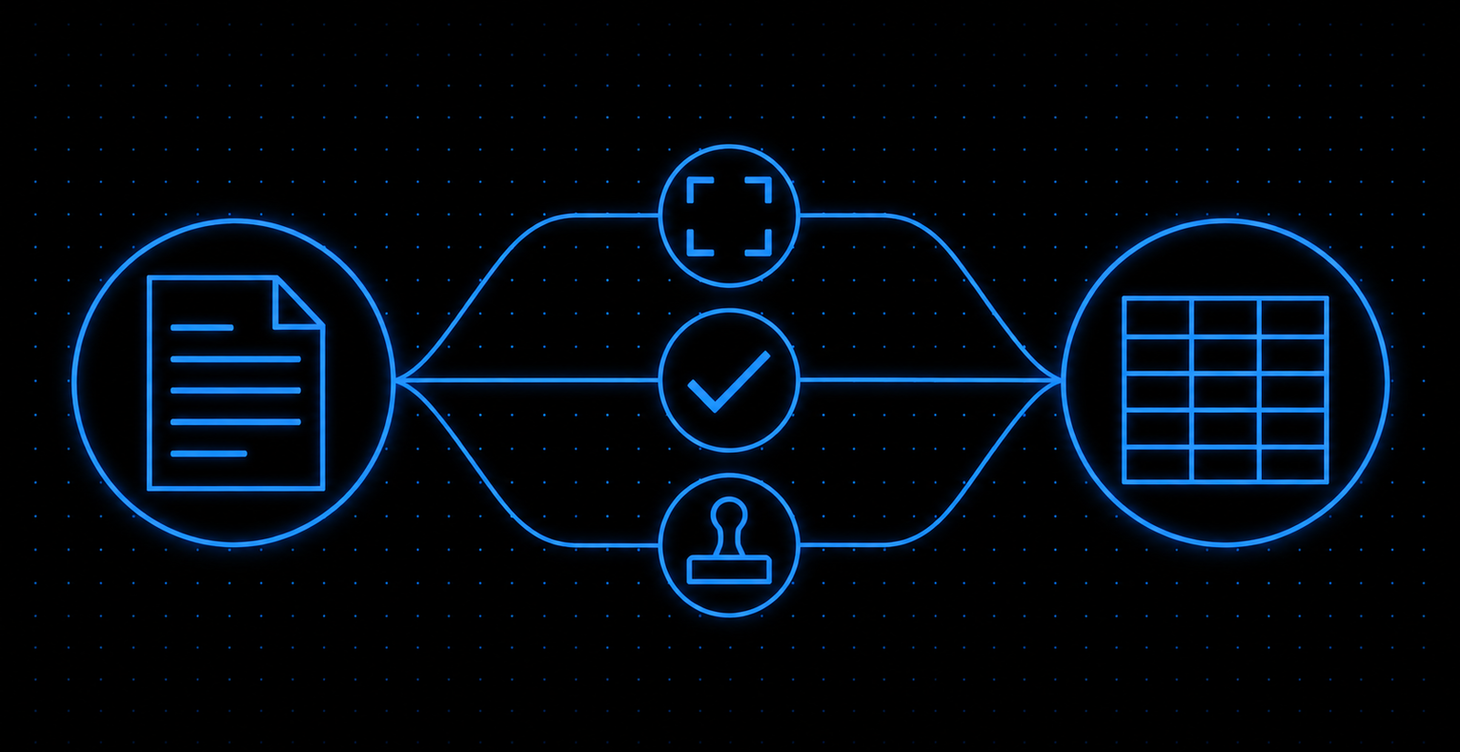
Invoice automation is software that captures supplier invoices, reads the data with OCR or AI, checks it against purchase orders, runs basic VAT checks, routes it for approval and posts it to your accounting system. For a UK SME it can remove much of the typing and help keep digital records. How much depends on your exception rate.
What is invoice automation?
Invoice automation is software that handles supplier invoices from the moment they arrive until they are ready to pay, with little or no typing. It captures the invoice, extracts the invoice data, checks it, sends it to the right approver and posts a draft bill to your accounting system. A person steps in only when a rule flags a problem.
What is invoice processing?
Invoice processing is everything between a supplier invoice arriving and it being paid. That covers receiving it, checking it, coding it to a ledger account, getting approval, entering it into the accounting system and scheduling payment.
In most small firms this means someone opens a PDF, types the figures into Xero, QuickBooks or Sage, and chases a manager for a yes. Automating invoice processing replaces the opening, typing and chasing. The judgement stays with your people.
Where AI fits
Older automated invoice processing solutions used OCR (optical character recognition) with a template per supplier. If a supplier changed their layout, the template broke.
Prebuilt AI invoice models, such as the invoice model in Microsoft’s Azure Document Intelligence in Foundry Tools (Microsoft Learn page updated 19/10/2026, checked 07/11/2026), are designed to read invoices without a per-supplier template, though accuracy varies by layout and scan quality. That model returns fields such as vendor name, invoice date, totals and line items.
Microsoft’s guidance on interpreting accuracy and confidence scores says analysis results include confidence estimates that can be used to flag a result for human review, though not all fields return a confidence score.
AI also helps with automated invoice coding: suggesting the nominal code and VAT rate based on what you did with that supplier last time.
How the main approaches compare
| Approach | How data gets in | Copes with new supplier layouts | What your team does |
|---|---|---|---|
| Manual | Someone types it | Yes, slowly | Everything |
| OCR with templates | Text read from fixed zones | No, needs a new template | Fixes misreads |
| AI-powered invoice automation | Model is designed to read invoices without a per-supplier template; accuracy varies by layout | Designed to, but test with your own suppliers | Reviews low-confidence fields |
| E-invoicing (for example Peppol) | Structured data, no reading needed | Not relevant | Approves |
Based on vendor documentation; test with your own suppliers.
Automated e-invoice processing needs no reading step, because the invoice arrives as data rather than a picture of data. The catch today is that your suppliers have to send it that way. That will change under the GOV.UK Roadmap for e-invoicing implementation (published 28/10/2026, checked 07/11/2026); see E-invoicing is on the way for the dates and the exemption.
If you want to know which of these approaches fits your own invoices, Book a Discovery Call.
Why does invoice automation matter for a UK SME?
In a manual process, the main cost you can measure yourself is staff time, and it rises with every invoice you key. Invoice automation also helps catch errors such as duplicate payments, helps keep your Making Tax Digital records in order, and, if the system can send and receive structured e-invoices, can help you prepare for the UK’s move to mandatory e-invoicing (see E-invoicing is on the way).
The main benefits
- Less keying: invoice data is captured rather than typed.
- Checks for errors and duplicate payments: the same checks run on every invoice.
- Approval prompts: approvers get a prompt with the invoice attached instead of a chase.
- A clear view of what you owe: outstanding payables sit in one place, which helps cash planning.
- An audit trail: who approved what and when, with the original document stored against the bill.
The subsections below cover the cost and the UK-specific rules.
The cost of processing an invoice: how to work out your own figure
There are published reference points, but use them with care. According to Agicap’s 2025 State of Accounts Payable Management Challenges report, as cited by Amazon Business, UK small, medium and mid-sized businesses spend an average of £8.90 to process and pay a single supplier invoice.
Agicap’s report page does not publish the country mix of the sample or the fieldwork dates, so treat the figure as indicative rather than a confirmed UK SME benchmark. It also covers processing and payment, while the method below measures staff time only, so the two are not like for like. Use published figures to check your own figure, not to replace it.
Here is how to work out your own figure. It is a method, not a benchmark or a client result. Count your supplier invoices per month. Time how long each takes to open, key, code, file and chase. Use an hourly staff cost that includes employer costs. For the automated side, estimate what share of invoices will pass the checks and need only a quick review, and how long the flagged ones take.
| Manual | Automated | |
|---|---|---|
| Invoices per month | Your count | The same count |
| Time per invoice | Your timed average | A quick review for invoices that pass; longer handling for flagged ones |
| Staff hours per month | Invoices x minutes per invoice, divided by 60 | (Passed invoices x review minutes + flagged invoices x handling minutes), divided by 60 |
| Staff cost per month | Hours x hourly cost | Hours x hourly cost |
| Staff cost per year | Monthly cost x 12 | Monthly cost x 12 |
| Reference point (Agicap, 2025, as cited by Amazon Business) | UK small, medium and mid-sized businesses spend an average of £8.90 to process and pay a single supplier invoice (sample country mix and fieldwork dates not published); covers processing and payment, so measures more than staff time | This method measures staff time only |
The gap between the two columns is your saving in staff time before you pay for software or a build. Your own exception rate and timings drive it, which is why the timing exercise matters. If you process only a few dozen invoices a month, the same maths gives a much smaller figure, and a full build may not pay back. Your accounting software’s own bill capture may be enough.
For what builds and tools typically cost, see my guide to how much AI automation costs in the UK.
Compliance you already have to meet
From their first VAT return period starting on or after 01/04/2022, all VAT-registered businesses must use Making Tax Digital for VAT, as HMRC’s press release Less than one week to go for MTD (28/03/2022, checked 07/11/2026) sets out. Unless HMRC has granted an exemption, they must keep digital records and file VAT returns using Making Tax Digital compatible software, as HMRC’s VAT Notice 700/22: Making Tax Digital for VAT (last updated 01/04/2022, checked 07/11/2026) explains. GOV.UK’s How VAT works: when to register guidance sets the taxable turnover threshold at which you must register for VAT.
HMRC’s VAT Notice 700/21: record keeping for VAT sets out how long you must normally keep VAT records. It also sets out what a full VAT invoice must show, and when a simplified invoice is allowed for lower-value supplies.
An automated system that checks a VAT number is present and correctly formatted, checks the VAT maths and stores the original PDF against the bill covers part of the record-keeping for the invoices you receive.
E-invoicing is on the way
On 28/10/2026, GOV.UK published the Roadmap for e-invoicing implementation. It follows the government’s consultation on promoting electronic invoicing, whose outcome, published on 26/11/2025, set out the 2029 mandate. The roadmap confirms that from 01/04/2029, VAT-registered businesses and public bodies must be able to issue and receive VAT invoices as e-invoices, unless a specific exemption applies, and adopts Peppol as the core framework.
The requirement covers invoices between VAT-registered persons; invoices to consumers, invoices to businesses that are not VAT-registered and cross-border transactions are excluded. Key requirements, standards and guidance are due between October 2027 and April 2028. The roadmap names an exemption being developed for digitally excluded VAT-registered persons, with details due by April 2028, and says non-established taxable persons will face the same invoicing requirements as UK-based businesses.
| When | Milestone in the GOV.UK roadmap |
|---|---|
| Spring 2027 | Technical consultation on UK e-invoicing standards |
| October 2027 to April 2028 | Key requirements, standards and guidance published |
| April 2028 to April 2029 | Government communications campaign runs; software providers, service providers, businesses and public bodies prepare for implementation, testing and onboarding |
| 01/04/2029 | E-invoicing requirements take effect |
Any system you choose now should be able to accept structured e-invoices later.
Paying suppliers on time
Under UK late payment law, a supplier can charge statutory interest of 8% plus the Bank of England base rate on late business-to-business payments, as GOV.UK’s Late commercial payments: charging interest guidance sets out. Where no payment terms are agreed, GOV.UK’s Late commercial payments: charging interest and debt recovery overview (checked 07/11/2026) says payment is late 30 days after the customer gets the invoice or the goods or services are delivered, whichever is later. The same page says you can agree a longer period than 60 days for business transactions, but it must be fair to both businesses.
The bill Parliament names the Commercial Payments Bill [HL] was introduced in the House of Lords on 19/05/2026; the GOV.UK press release announcing that the bill had entered Parliament (19/05/2026) uses a different name, the Small Business Protections Bill, which it says was formally known as the Commercial Payments Bill.
According to that press release, it would make late payment interest mandatory and cap payment terms for large firms paying smaller suppliers. According to Farrer & Co’s Commercial Payments Bill: a practical guide, its exemptions include contracts where both parties are large businesses. Parliament’s bill page would not load when I checked on 07/11/2026, so I cannot give its current stage as that page states it today.
The latest stages I could confirm are that the bill completed its Lords stages on 20/10/2026 and moved to the Commons on 21/10/2026. The Commons Order Paper for 04/11/2026 listed it for second reading, but I could not confirm whether that reading went ahead. It is not yet law. An invoice sitting unread in someone’s inbox is an easy way to miss that date.
How do you automate invoice processing, step by step?
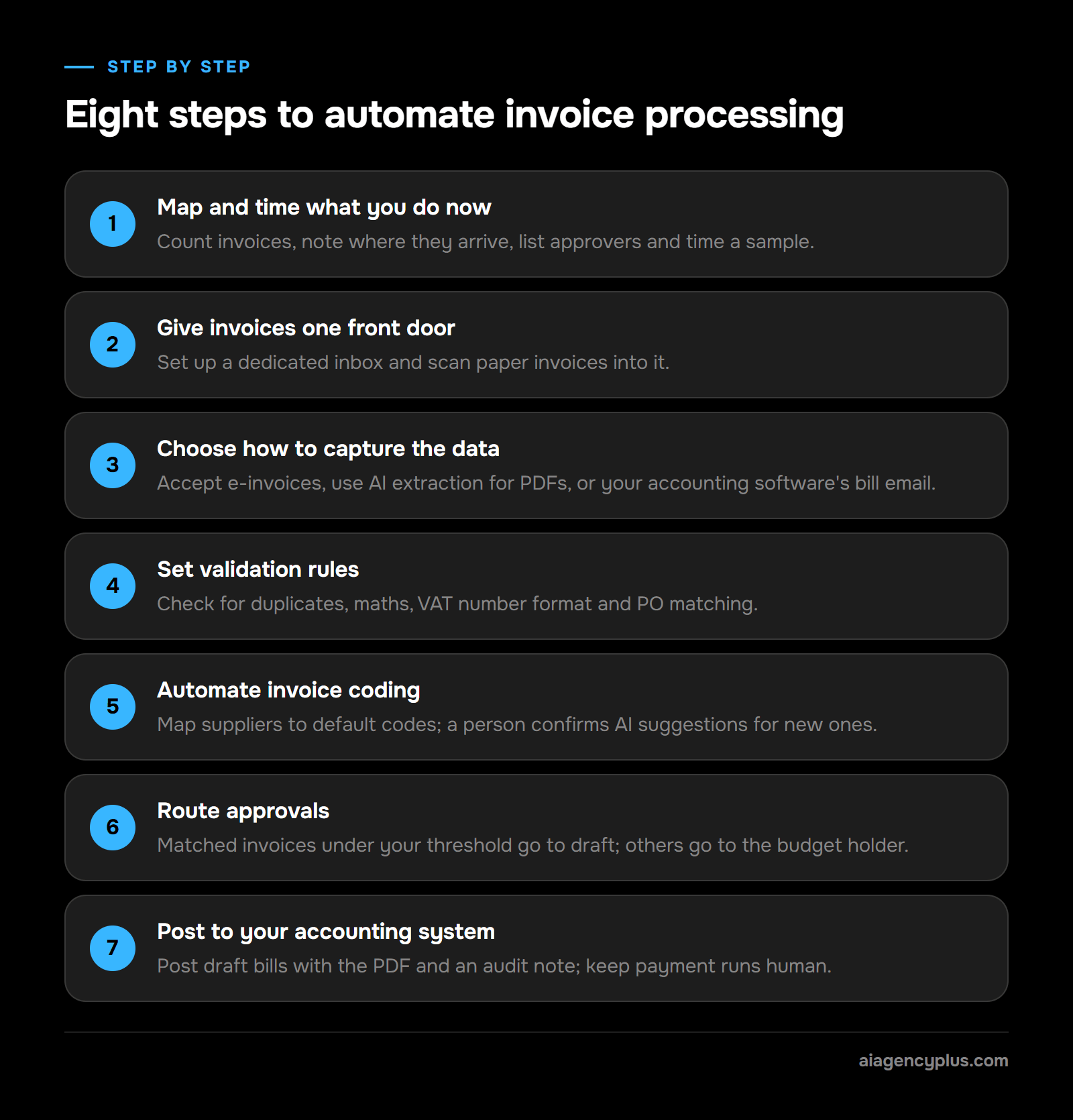
To automate invoice processing, map and time your current process, give invoices one entry point, choose a capture method, set validation and coding rules, route approvals, and post draft bills to your accounting system. Then run the old and new processes side by side for a month before you switch off the manual route.
1. Map and time what you do now
Count invoices per month and note where they arrive: email, post, supplier portals. List who approves what. Time a sample of invoices from arrival to posting. This gives you a baseline, and it can also show steps you no longer need.
2. Give invoices one front door
Set up a dedicated inbox such as invoices@yourcompany.co.uk and ask suppliers to use it. Scan paper invoices into the same inbox. To automate invoices from email, everything has to land in one place first.
3. Choose how to capture the data
- Suppliers who can send e-invoices: accept structured data directly.
- PDF invoices from many suppliers: use an AI extraction model.
- A small number of regular suppliers: your accounting software’s built-in bill email may be enough.
4. Set validation rules
Automated invoice entry is only safe with checks in front of it. At minimum:
- Duplicate check: same supplier, invoice number and amount as a previous bill.
- Maths check: line items, VAT and total add up.
- VAT check: a VAT number is present and in the right format where VAT is charged.
- Matching: two-way matching compares the invoice with the purchase order. Three-way matching adds the goods received note.
Anything that fails goes to an exception queue with the reason attached.
5. Automate invoice coding
Map each known supplier to a default nominal code, VAT rate and tracking category. For new suppliers, let AI suggest a code and have a person confirm it once. After that, the mapping does the work.
6. Route approvals
Set thresholds that suit your risk. For example, matched invoices under a value you choose go straight to draft. Anything above it, or unmatched, goes to the budget holder by email, Teams or Slack with an approve or query button.
7. Post to your accounting system
Post approved invoices as draft bills with the PDF attached and an audit note of who approved what and when. Keep payment runs as a human step. Automating the money leaving your account is a separate decision.
8. Run in parallel, then switch
Run both processes for a month. Track the exception rate and any fields the AI misread. When the exceptions are ones that genuinely need a person, switch off the manual route.
What features should invoice automation software have?
Good invoice automation software captures invoices from email and upload, extracts data with confidence scores, catches duplicates, matches purchase orders, suggests coding, routes approvals and posts to your accounting system with an audit trail. For UK firms, also check Xero, QuickBooks or Sage integration, where data is hosted and whether it accepts e-invoices.
Features and the question to ask
| Feature | Why it matters | Ask the vendor |
|---|---|---|
| Email and upload capture | One front door for every invoice | Can it read attachments and links in the email body? |
| AI data capture with confidence scores | Shows which fields need a human look | What happens below the confidence threshold? |
| Duplicate detection | Helps stop paying the same bill twice | Which fields does it compare? |
| PO matching | Catches overcharges | Does it support three-way matching? |
| Coding suggestions | Removes repetitive ledger decisions | Does it learn from my corrections? |
| Approval workflows | Gets the yes without chasing | Can approvers act from email or Teams? |
| Accounting system integration | Avoids re-keying | Does it post drafts or final bills? |
| Audit trail | Supports VAT record keeping | Is the original document stored for as long as HMRC requires? |
| E-invoice support | Prepares for the e-invoicing mandate (see E-invoicing is on the way) | Can it send and receive structured e-invoices, for example through Peppol? |
| UK GDPR and hosting | Invoices can contain personal data | Where is data stored, and who processes it? |
Tools to consider
Off-the-shelf options fall into three groups. None of these is a recommendation; check each against the feature table above with your own suppliers’ invoices.
- Accounting software with built-in bill capture (Xero, QuickBooks, Sage): the accounting packages many UK SMEs already use, each with a way to send or upload supplier bills into the software; what is included varies by plan.
- Dedicated AP platforms (for example Basware): accounts payable software built around invoice capture and approval workflows; Basware also provides e-invoicing.
- Low-code routes (Power Automate with AI Builder): Microsoft’s automation tool, whose AI Builder prebuilt invoice processing model extracts invoice fields into a flow you build yourself.
Choosing invoice automation: off the shelf or built for you
| Off-the-shelf tool | Custom workflow | |
|---|---|---|
| Best for | Standard AP, common accounting software | Unusual approvals, several systems, mixed documents |
| Set-up | Depends on the tool and your accounting system | Depends on scope; I confirm a timeline after a discovery call |
| Fits your process | You adapt to the tool | The workflow adapts to you |
| Ongoing cost | Per-user or per-invoice subscription | Hosting and model usage, plus support |
For broader tool comparisons, see my list of the top automation tools for small businesses. Invoice handling usually sits inside a wider piece of business process automation, so look at what happens before and after the invoice too.
When not to buy
If you get fewer than a few dozen invoices a month from the same handful of suppliers, a dedicated platform is likely overkill. Use your accounting software’s bill inbox, set supplier defaults, and revisit when volume grows.
What mistakes should you avoid when automating invoice processing?
Five mistakes to avoid are automating a messy process as it stands, posting invoices automatically from day one, skipping duplicate checks, letting automation touch supplier bank details, and having nobody own the exception queue. Each one is easier to design out at the start than to fix after a bad payment. The list below covers those five, plus two additional practices: cleaning your supplier list and measuring results.
Accounts payable invoice processing best practices
- Fix the process first. If three people approve the same invoice today, automation will make three people approve it faster. Remove the step instead.
- Start with drafts. Post draft bills until you trust the exception rate. Move to auto-approval only for matched, low-value invoices.
- Always check for duplicates. Suppliers resend invoices. Duplicate detection on supplier, number and amount is not optional.
- Never automate bank detail changes. Fraudsters send convincing invoices with “new” bank details. Any change should be verified by phone on a number you already hold.
- Name an exception owner. Flagged invoices with no owner become the new backlog.
- Additional practice: clean your supplier list. Duplicate supplier records lead to duplicate payments and wrong coding.
- Additional practice: measure it. Track exceptions, misread fields and days from arrival to approval each month.
If invoices are one of several admin jobs eating your week, my guide to what business processes you can automate with AI will help you rank them.
How does AI Agency Plus build invoice automation?
I design invoice automation as an n8n workflow that would connect your invoice inbox, an AI extraction model, your accounting system and the tool your approvers already use, following your approval rules and posting draft bills with the original attached. The aim is that your team approves what needs approval and spends most of its time on the invoices the rules flag, a share you can estimate with the method above.
One invoice, end to end
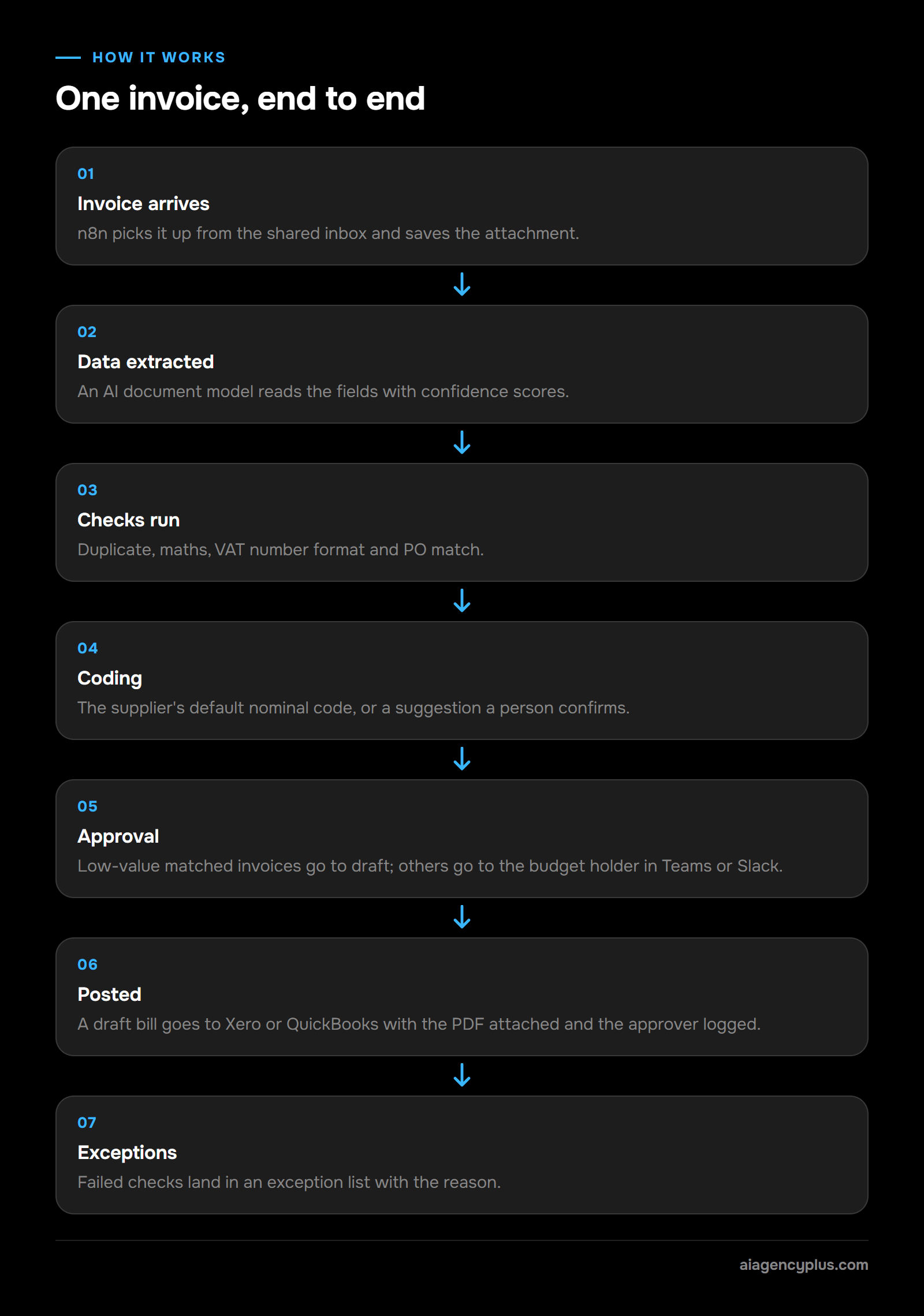
Here is how I would design a build to handle a single supplier PDF:
- The invoice lands in the shared inbox. n8n picks it up and saves the attachment.
- An AI document model extracts supplier, invoice number, dates, line items, net, VAT and total, with confidence scores.
- The workflow runs the checks: duplicate, maths, VAT number format and PO match.
- It looks up the supplier’s default nominal code. If the supplier is new, it suggests one and asks a person to confirm it.
- Low-value matched invoices go straight to draft. Everything else goes to the budget holder in Teams or Slack with approve and query buttons.
- Once approved, the workflow posts a draft bill to Xero or QuickBooks with the PDF attached and logs who approved it.
- Anything that fails a check lands in an exception list with the reason, so nobody has to work out what went wrong.
If you run Google Workspace, my guide to connecting Gmail to self-hosted n8n shows the first step of this flow.
What stays with your team
Payment runs, supplier bank detail changes and any invoice the rules flag stay with a person. Self-hosting n8n keeps the workflow and the stored invoices in a cloud account you control. The AI extraction service also processes each document, so I choose one with a data region and terms that fit your UK GDPR position.
How do you decide whether to automate invoices?
Whether invoice automation pays depends on your volume. Time a sample of your own invoices, do the maths with your own numbers, and check any tool against the feature table above.
If you would like a second opinion, I will look at your invoice volume, your accounting system and your approval rules, and tell you honestly whether a build, an off-the-shelf tool or your existing software is the right answer.
Frequently asked questions
How much time do AP teams spend on invoices?
According to Agicap’s 2025 State of Accounts Payable Management Challenges report, as cited by Amazon Business, UK small, medium and mid-sized businesses spend an average of £8.90 to process and pay a single supplier invoice. Agicap does not publish its sample’s country mix or fieldwork dates, so time your own invoices from arrival to posted bill.
What is AP invoice automation?
AP (accounts payable) invoice automation is automation applied to the invoices you receive from suppliers, as opposed to the invoices you send to customers. It covers capture, data extraction, matching, coding, approval and posting to the accounting system. Payment runs are usually kept as a separate, human-approved step.
What is Basware invoice automation?
Basware is a vendor of accounts payable and e-invoicing software. According to Basware’s AP automation product page, its software covers invoice receipt and routing, data capture, matching, coding and approval workflows. Compare it with a lighter tool or a custom workflow before you commit.
How do you automate invoice processing in Excel?
Excel on its own cannot read invoices, but you can feed it. Microsoft Power Automate can watch an inbox, pass attachments to the AI Builder prebuilt invoice processing model and write the extracted fields into an Excel table. This works for logging and reporting; for posting bills and keeping VAT records, connect to your accounting software instead.
Is AI invoice processing accurate enough to trust?
Prebuilt AI invoice models, such as Microsoft’s, return confidence estimates for their results, though Microsoft’s guidance on accuracy and confidence scores says not all fields return a confidence score. How accurately they read your invoices varies by layout and scan quality, so test them with your own suppliers. The safe approach is to send high-confidence, matched invoices straight to draft, or to auto-approval once you trust the exception rate, and send everything else for a quick human check. Track misread fields in your first month to set your thresholds.